
Why Choose WordPress for Website Development? Benefits and Costs
WordPress website development helps you build a flexible website for your business, blog, portfolio, or online store. It offers tools to manage content, customize designs, and add features as your business grows.
But is WordPress the right choice for your website? The answer depends on your budget, goals, and technical needs. This guide explains why use WordPress to build a website, its main benefits, potential drawbacks, costs, and maintenance requirements.
Key Benefits of WordPress Website Development
- Build different types of websites with flexible design options.
- Manage website content without advanced coding skills.
- Add features through themes, plugins, and integrations.
- Support SEO, ecommerce, and business growth.
- Control costs by choosing suitable tools and services.
What Is WordPress Website Development?
WordPress is an open-source content management system (CMS) that helps you create and manage website content. Developers can use existing themes and plugins or build custom features for specific business requirements.
There are two common WordPress options:
- WordPress.org: Provides software you can install on compatible hosting. You manage hosting and most website maintenance.
- WordPress.com: Offers a hosted website service with features that vary by plan.
For example, a small business can use WordPress to create service pages, publish blog posts, and collect customer inquiries. An online store can add product listings, shopping carts, and checkout features.
The best development approach depends on what your website needs to accomplish.
Why Use WordPress to Build a Website?
WordPress offers several benefits that make it suitable for different business goals.
Flexible Design and Customization
WordPress gives you multiple ways to design your website. You can choose a ready-made theme, use a page builder, or invest in custom WordPress themes for a unique appearance.
A consulting business might need service pages, team profiles, and case studies. A restaurant may prioritize menus, location details, and booking options.
Choose a theme based on mobile usability, accessibility, compatibility, and support. Don’t select one based only on its attractive demo.
Easy Content Management
The WordPress dashboard helps you publish articles, edit pages, upload images, and update website information.
Your marketing team can make routine content changes without contacting a developer every time. However, advanced design changes and technical issues may still require professional support.
SEO-Friendly Features
WordPress supports important SEO tasks, including customizable URLs, headings, metadata, and image alt text. SEO plugins can provide additional guidance and help manage technical settings.
However, WordPress doesn’t guarantee higher Google rankings. You still need helpful content, relevant internal links, sound technical SEO, and a positive user experience.
Connect Google Search Console to monitor indexing and search performance.
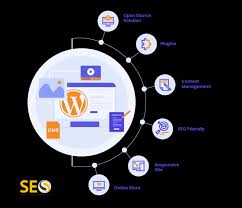
Plugins and Website Integration
Plugins help you add features without building everything from scratch. Depending on your requirements, you can install contact forms, analytics tools, booking systems, and ecommerce extensions.
This website integration capability also helps connect WordPress with email marketing platforms, customer relationship management systems, and payment providers.
Install only necessary plugins. Too many poorly maintained extensions can create compatibility, security, and performance problems.
Ecommerce and Website Scalability
You can build a WordPress e-commerce website using WooCommerce. It supports products, shopping carts, checkout, inventory management, and order processing.
WordPress also supports website scalability through additional content, integrations, and custom functionality. However, growth depends on suitable hosting, efficient code, and proper performance optimization.
What Types of Websites Can WordPress Build?
WordPress supports a wide range of website types.
| Website type | Common features |
| Business website | Service pages, contact forms, company information |
| Blog | Articles, categories, author profiles |
| Portfolio | Project galleries, testimonials, case studies |
| Online store | Product pages, carts, checkout |
| Membership website | User accounts, subscriptions, restricted content |
| Booking website | Appointment forms, booking calendars |
For example, a marketing agency could launch with service pages and a blog. Later, it might add downloadable guides, client testimonials, and lead-generation forms.
Start with features that support your goals instead of adding unnecessary functionality.
What Are the Limitations of WordPress?
Although WordPress offers flexibility, website owners must understand its responsibilities.
Security Risks
Outdated plugins, weak passwords, and poor access controls can expose websites to security threats.
Protect your website by:
- Updating WordPress, themes, and plugins regularly.
- Using strong passwords and two-factor authentication.
- Removing unused plugins and themes.
- Keeping reliable backups.
- Choosing reputable hosting.
The WordPress security documentation provides additional guidance.
Website Performance Issues
Large images, inefficient themes, excessive plugins, and poor hosting can affect website performance.
Compress images, use suitable caching, and test important pages on mobile devices. Measure performance before installing optimization tools so you can address the actual problem.
Maintenance Requirements
WordPress requires ongoing updates, backups, compatibility checks, and troubleshooting. Updates improve security, but they can sometimes affect existing functionality.
Before major updates, create a backup and test important features. Consider WordPress website maintenance services if your team lacks the time or technical skills to manage these tasks.
Custom Development Costs
Some requirements need more than standard themes and plugins. For example, complex booking systems or customer dashboards may require WordPress plugin development.
Custom development can provide a better fit, but it adds costs and future maintenance responsibilities.
How Much Does WordPress Website Development Cost?
WordPress software is free, but creating and maintaining a website may involve several expenses.
| Expense | What it covers |
| Domain | Your website’s address |
| Hosting | Server resources and website availability |
| Theme | Website design and layout |
| Plugins | Additional website features |
| Development | Setup, customization, and integrations |
| Maintenance | Updates, backups, security, and troubleshooting |
Costs depend on website complexity, provider rates, premium tools, and ongoing support requirements.
A simple business website generally requires fewer resources than a custom ecommerce platform. Request itemized quotes and check which services each provider includes.
WordPress vs. Other Website Builders
When comparing WordPress vs other website builders, consider your budget, technical skills, and customization needs.
| Platform | Best suited for | Main consideration |
| WordPress | Flexible business websites and content publishing | Requires maintenance on self-hosted sites |
| Squarespace | Users seeking an integrated website builder | Some custom features may be limited |
| Wix | Users who prefer visual editing | Customization depends on platform features |
| Shopify | Businesses focused on online selling | Plan costs and platform-specific limitations |
WordPress may suit businesses that need flexible content management and custom integrations. A hosted builder may be better if you prefer simpler technical management.
Choose the platform that meets your actual requirements.
How to Maintain a WordPress Website
Learning how to maintain a WordPress website helps protect your investment and prevent avoidable problems.
Follow this basic checklist:
- Weekly: Check important pages, forms, and website availability.
- Monthly: Review updates, backups, and website performance.
- Quarterly: Remove unused plugins and review user permissions.
- After major changes: Test forms, checkout, and integrations.
Also, review your content regularly. Update outdated information, fix broken links, and improve pages that no longer meet visitor needs.
How to Choose a WordPress Website Development Company
A professional developer can help when your project needs custom functionality or technical expertise.
Before hiring, review the provider’s portfolio and relevant experience. Ask how they handle mobile usability, security, SEO, backups, and performance testing.
Clarify who owns the website, domain, content, and custom code. Confirm maintenance fees, support terms, project timelines, and future development costs.
Avoid providers who guarantee Google rankings. A trustworthy team explains its process and sets realistic expectations.
Final Thoughts
WordPress website development offers flexibility, content management, and features for businesses of different sizes. It can support everything from a simple company website to a growing online store.
However, success depends on proper planning, useful content, reliable hosting, and ongoing maintenance. Define your goals, compare platforms, and choose features that serve your audience.
FAQs
1. Is WordPress free for website development?
Yes, WordPress.org is free to download and use. However, you need hosting and a domain to publish your website online.
2. How much does WordPress website development cost?
WordPress website building prices depend on design, features, hosting, plugins, and developer fees. A simple website usually costs less than a custom business website.
3. Where can I download a WordPress website builder for free?
You can download WordPress for free from the official WordPress website and install it on your hosting account.
4. Is WordPress.com free to use?
Yes, WordPress.com offers a free plan with basic website features. However, paid plans provide additional customization and features.
5. What is the difference between free WordPress and paid WordPress?
WordPress software from WordPress.org is free, but hosting, premium themes, and plugins may cost money. WordPress.com offers both free and paid hosting plans.